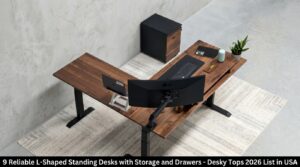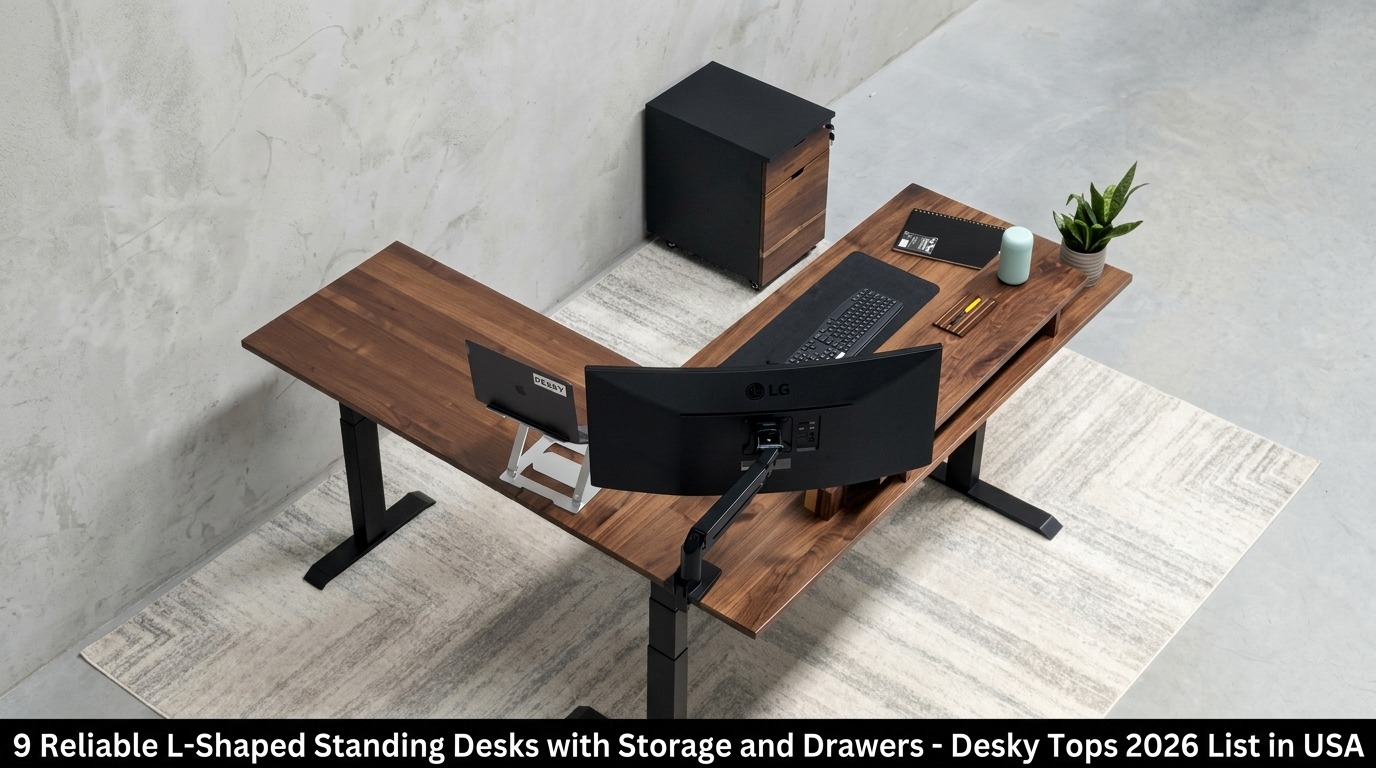
The Desky Hardwood L-Shape Sit Stand Desk tops this 2026 roundup as the most capable L-shaped standing desk with storage in the USA, with a triple-motor system, 440.9 lb lifting capacity, and an integrated cable channel that most competitors treat as an optional extra.
Most desks marketed as “L-shaped standing desks with storage” arrive with a clamped-on drawer or a bundled filing cabinet as an afterthought. This list includes only setups where storage is engineered into the design, then ranks each by how well it actually delivers.
Why L-Shaped Standing Desks with Storage Are Having a Moment in 2026
Prolonged sitting carries documented health costs that extend beyond backaches. Research published in the Annals of Internal Medicine established a direct association between sedentary time and increased risk of disease incidence, mortality, and hospitalization, even in people who exercise regularly [1].
Sit-stand desks address this by building posture-switching into the workday itself rather than treating it as a separate health intervention [4].
Creative professionals, editors, and entertainment-industry workers running home offices in Los Angeles have adopted corner desks as organizational anchors. An L-shaped footprint turns dead corner space into a dual-zone workspace, and built-in storage eliminates the need for a standalone filing cabinet or side table that would otherwise consume more floor space.
Research on visual attention confirms that competing stimuli in the field of view reduce cognitive performance, a principle that applies directly to how a cluttered versus an organized desk surface affects sustained focus [2].
What Separates a Reliable L-Shaped Desk with Storage from a Mediocre One
Motor certification, frame testing data, and storage durability determine long-term reliability [3]. Third-party certifications (BIFMA, TÜV Rheinland, UL) and published motor longevity figures (20,000+ cycles is the daily-use benchmark) separate purpose-built desks from furniture-grade alternatives.
Storage durability depends on whether drawers are solid wood or metal versus fabric, as fabric degrades faster under regular load. A height range covering at least 23″–49″ accommodates users across the full height spectrum without compromising posture ergonomics [3].
The 9 Best L-Shaped Standing Desks with Storage and Drawers in the USA (2026)
1. Desky Hardwood L-Shape Sit Stand Desk: Smart, Cable-Managed Standing Desks Built for the Modern Workspace
Desky engineers the Desky Hardwood L-Shape Sit Stand Desk around a triple-motor system that lifts 440.9 lbs across both surfaces, simultaneously, at under 40 dB of operating noise.
Three-stage cold-rolled steel legs carry BIFMA, UL, CSA, and TÜV Rheinland certifications and are tested to 20,000+ motor cycles. The Integrated Cable & Power Channel runs through the entire frame, routing cables cleanly beneath both desk surfaces as the height changes. An optional powered add-on supports up to 9 devices, consolidating everything into a single cord to the wall.
Four programmable height presets, app and Siri voice control, and sit/stand reminders are standard, not upgrades. The desk ships in two desktop sizes and 30+ sustainably certified finishes (FSC, PEFC, GreenTag Level A) at 1″ thickness, backed by a 10-year warranty.
TechRadar has recommended Desky’s lineup, and CNN Underscored named Desky one of the best cable management solutions in the desk category.
{% youtube https://www.youtube.com/watch?v=mT5d7lNS1Ho %}
Pros:
- Triple motors, 440.9 lb capacity at <40 dB, tested to 20,000+ motor cycles
- Integrated Cable & Power Channel with optional 9-device powered add-on, consolidating to 1 cord to the wall
- App and Siri voice control with 4 height presets and sit/stand reminders standard
- BIFMA, UL, CSA, TÜV Rheinland certified; 30+ sustainably certified desktop finishes at 1″ thickness
Cons:
- Premium pricing: Hardwood models start from $1,669
- Large corner footprint requires dedicated placement space
Best For: Multi-monitor power users, content creators, and creative professionals who need full surface area, integrated cable management, and smart desk functionality in one package.
Contact Details:
Address: 500 Red Stag Way, Sweetwater, Tennessee, USA
Phone: +1 800 696 9017
Email: help@desky.com
Website: desky.com
LinkedIn: linkedin.com/company/deskydesk/
Facebook: facebook.com/deskyaus/
Instagram: instagram.com/deskyau/
2. Fezibo Triple Motor Reversible L-Shaped Standing Desk with Upper Drawers V2
Fezibo positions its Triple Motor Reversible L-Shaped Desk with Drawers as a budget entry into triple-motor territory, with the 330 lb capacity and 27″–48″ height range competitive for the price point.
The drawers use soft fabric construction rather than solid wood or metal, which keeps production costs down but reduces durability under sustained daily load. Customer support consistency has been flagged in user reviews across retail platforms, a relevant consideration when investing in a larger desk system.
The reversible L-shape configuration suits both left and right corner placement, which adds practical value for renters or users who anticipate reconfiguring their space.
Pros:
- Triple motors with 330 lb capacity at a budget price
- Built-in upper drawers included; no add-on required
- Reversible L-shape suits left or right corner
Cons:
- Fabric drawers less durable than wood or metal alternatives
- Customer support inconsistency reported in user reviews
- No app or voice control; noise at load exceeds most competitors here
Best For: Budget buyers who want a triple-motor L-desk with basic built-in storage and don’t require smart controls or premium construction.
Contact Details:
Address: 6145 Spring Mountain Rd, Suite 202, Las Vegas, NV 89146 (YOUNIVERSE INNOVATION INC)
Phone: +1 888-253-4559 (Mon–Fri, 9am–5pm CST)
Email: service@fezibo.com
Website: fezibo.com
3. SEDETA 71″ L-Shaped Electric Standing Desk with Drawers
SEDETA packs its 71″ model with substantial storage volume, including two drawers, one file drawer, three storage cabinets, and a side hook, at a price that makes the spec trade-offs easier to absorb.
The 47.2″ height ceiling is the model’s primary ergonomic limitation, excluding taller users from a comfortable standing position. A 220 lb weight capacity approaches its practical limit with a dual-monitor desktop configuration.
Built-in power outlets and USB ports add daily convenience, and the sub-30 dB motor is one of the quieter single-motor systems in this price range.
Pros:
- High storage volume: 2 drawers, file drawer, 3 cabinets, and hook in one unit
- Built-in power outlets and USB ports
- Sub-30 dB single-motor operation
Cons:
- 47.2″ height ceiling excludes taller users from a proper standing position
- ~220 lb capacity limits heavy dual-monitor or desktop tower setups
- Single motor; no smart controls or app integration
Best For: Users who prioritize maximum built-in storage volume over ergonomic height range or smart features.
Contact Details:
Address: 1312 17th St PMB 74812, Denver, CO 80202
Email: service@sedetalife.com (Mon–Fri, 8am–4pm PDT)
Website: sedetalife.com
4. HUANUO L-Shaped Electric Standing Desk with 6 Storage Drawers
HUANUO’s six-drawer L-shaped desk offers the highest built-in drawer count on this list, a meaningful specification for users who need to categorize storage across utility, file, and personal categories without a separate cabinet.
The basic keypad handles height presets but offers no app or voice integration. Weight capacity and height range match the SEDETA entry’s constraints, workable for lighter builds and restrictive for heavier multi-monitor rigs.
The dual-motor system provides stable lifting for the configuration’s intended load range.
Pros:
- 6 built-in storage drawers, the highest drawer count on this list
- Dual motors for stable lifting within the weight range
- Competitive pricing for the storage volume provided
Cons:
- No app or voice control
- ~220 lb weight capacity restricts heavy multi-monitor builds
- Limited height range and basic controller
Best For: Budget buyers who need maximum drawer storage for lightweight work setups and can work within the height and capacity limits.
Contact Details:
Address: South El Monte, CA / Brooklyn Park, MN (US operations)
Phone: +1 800 556 0533
Email: support@huanuo.com
Website: huanuo.com
5. OffiGo L-Shaped Electric Standing Desk with Wooden Drawers
OffiGo’s wooden drawer construction distinguishes this model from fabric-drawer competitors, as solid wood holds up better under daily use and ages more predictably than fabric alternatives.
The 27.9″–46.1″ height range is the most restricted on this list, and the 154 lb weight capacity makes it suitable only for lightweight single-monitor or laptop-based setups. Built-in AC, USB-A, and USB-C outlets add practical convenience without a separate power strip.
A reversible configuration accommodates both left and right corner placement.
Pros:
- Wooden drawers, more durable than fabric alternatives
- Built-in AC, USB-A, and USB-C outlets
- Reversible L-shape suits left or right corner setup
Cons:
- 154 lb weight capacity, the lowest on this list
- 46.1″ height ceiling is restrictive for most standing users
- Single motor; limited ergonomic range
Best For: Light home office setups where drawer material quality and outlet access are priorities over ergonomic range or load capacity.
Contact Details:
Address: 3400 Silverstone Dr. Ste. 146, Plano, TX; Returns: 1025 N Todd Ave, Azusa, CA 91702
Website: offigo.com
6. FlexiSpot E7L Pro L-Shaped Standing Desk
FlexiSpot’s E7L Pro delivers one of the widest height ranges on this list at 25.0″–50.7″, paired with a triple-motor system rated to 330 lbs, solid ergonomic fundamentals for users across the full height spectrum [3].
Storage is the category gap: drawers are not integrated and require a separate purchase, adding cost and assembly beyond the base configuration. TechRadar reviewed the E7L Pro positively for its stability and motor performance, which are genuine strengths, but buyers specifically shopping for an L-desk with built-in storage will need to factor in an additional investment.
Pros:
- Wide height range (25.0″–50.7″) accommodates most user heights
- Triple motors with 330 lb capacity and anti-collision feature
- Reversible panel configuration for left or right corner
Cons:
- No integrated storage; drawers require a separate purchase
- No app or voice control
- Total cost rises meaningfully once storage accessories are added
Best For: Users who prioritize ergonomic height range and motor stability, and are comfortable sourcing storage solutions separately.
Contact Details:
Address: 300 Goddard Way, Irvine, CA (additional office: 6475 Las Positas Rd, Livermore, CA 94551)
Phone: 855-585-5618
Email: contact@flexispot.com
Website: flexispot.com
7. Autonomous Desk 2 L-Shaped Standing Desk
Autonomous built the Desk 2 L-Shaped around a triple-motor frame rated to 400 lbs, a BIFMA-certified cold-rolled steel frame tested to 50,000 lift cycles and the highest longevity figure on this list.
The modular storage philosophy means all organization arrives separately: drawer units, filing cabinets, and privacy panels are add-on accessories rather than factory-integrated components. Operating noise sits at approximately 50 dB during transitions, audible but not disruptive. Four memory presets and a reversible short-side configuration are standard.
Pros:
- 400 lb capacity with a BIFMA-certified frame tested to 50,000 lift cycles
- Modular storage for users who want to evolve their setup over time
- 4 memory presets and reversible short-side configuration
Cons:
- No built-in storage; all organization requires a separate purchase
- ~50 dB operation is louder than most competitors here
- Height range starts at 29.4″, a higher floor than most alternatives
Best For: Heavy-duty users building a modular workspace over time who don’t need integrated storage from day one.
Contact Details:
Address: 110 Wall St, New York, NY 10005
Phone: 844-949-3879
Email: human@autonomous.ai
Website: autonomous.ai
8. Vari L-Shape Corner Electric Standing Desk
Vari targets commercial and premium home office buyers with U.S.-based customer support, a ComfortEdge™ soft-slope desktop finish for forearm comfort, and a clean professional aesthetic that suits co-working and private office environments.
Three whisper-quiet motors power the height adjustment across a 25″–50.5″ range. Storage, however, follows the add-on model: Vari’s drawer accessory attaches without drilling, but it is a separate purchase, not an integrated feature. The 200 lb weight capacity is also among the more conservative figures on this list, limiting its viability for heavy hardware configurations.
Pros:
- U.S.-based customer service and warranty support
- ComfortEdge™ finish reduces forearm pressure during extended sessions
- No-drill drawer attachment system
- Compatible with Vari’s broader accessory ecosystem
Cons:
- No integrated storage, drawer is a separate purchase
- 200 lb weight capacity is restrictive for multi-monitor or desktop-tower setups
- No app or voice control
Best For: Commercial buyers and professionals who value domestic service accountability and ergonomic desktop finishes, and plan to configure storage separately.
Contact Details:
Address: 450 Freeport Pkwy, Coppell, TX 75019
Phone: (800) 207-2587
Website: vari.com
9. UPLIFT V2 L-Shaped Standing Desk
UPLIFT’s V2 L-Shaped desk leads the market on weight capacity (535 lbs), warranty depth (15 years covering 100% of frame and accessories), and third-party recognition, as Wirecutter has named UPLIFT its standing desk recommendation nine consecutive years.
Triple precision-drive motors and three-stage legs cover a broad height range that accommodates most user builds. Storage follows the add-on model: Slim Desk Drawers, locking steel drawer options, and filing cabinet accessories are purchased separately, meaning buyers seeking factory-integrated storage face the same additional investment here as with FlexiSpot, Autonomous, and Vari. No native app or voice control is available.
Pros:
- 535 lb weight capacity, the highest on this list
- 15-year full-coverage warranty including all accessories
- Extensive modular accessory ecosystem with locking and standard drawer options
- Nine consecutive years of Wirecutter recommendation
Cons:
- No integrated storage, all drawers and filing solutions are add-on purchases
- No native app or voice control
- Highest price point on this list
Best For: Heavy-duty power users who prioritize maximum weight capacity, best-in-class warranty coverage, and long-term accessory expandability over integrated built-in storage.
Contact Details:
Address: 1848 Ferguson Ln, Building 1, Austin, TX 78754
Phone: (800) 349-3839
Email: info@upliftdesk.com
Website: upliftdesk.com
Quick Comparison: 9 L-Shaped Standing Desks with Storage and Drawers (2026)
| # | Desk | Motors | Height Range | Capacity | Built-in Storage | Smart Controls |
| 1 | Desky Hardwood L-Shape Sit Stand Desk | Triple | 23.6″–49.2″ | 440.9 lbs | Yes: integrated cable channel + optional 9-device power add-on | App + Siri, 4 presets |
| 2 | Fezibo Triple Motor Reversible L-Shape V2 | Triple | 27″–48″ | 330 lbs | Yes: integrated fabric upper drawers | Basic keypad |
| 3 | SEDETA 71″ L-Shaped Electric | Single | 28.3″–47.2″ | ~220 lbs | Yes: 2 drawers, file drawer, 3 cabinets, hook | Basic keypad, 3 presets |
| 4 | HUANUO L-Shaped with 6 Storage Drawers | Dual | ~28″–47″ | ~220 lbs | Yes: 6 built-in drawers | Basic keypad |
| 5 | OffiGo L-Shaped with Wooden Drawers | Single | 27.9″–46.1″ | 154 lbs | Yes: wooden drawers + AC/USB-A/USB-C outlets | Basic keypad |
| 6 | FlexiSpot E7L Pro | Triple | 25.0″–50.7″ | 330 lbs | No: add-on purchase required | Keypad, 3 presets |
| 7 | Autonomous Desk 2 L-Shaped | Triple | 29.4″–48″ | 400 lbs | No: modular add-ons only | Keypad, 4 presets |
| 8 | Vari L-Shape Corner Electric | Three | 25″–50.5″ | 200 lbs | No: no-drill add-on available | Basic keypad |
| 9 | UPLIFT V2 L-Shaped | Triple precision-drive | 3-stage (broad range) | 535 lbs | No: add-on catalog | Keypad (upgradable) |
How to Organize an L-Shaped Standing Desk with Storage
Zone Your L: Active Work vs. Reference/Archive
An L-shaped desk naturally divides into two distinct zones, and treating them differently changes how the entire setup performs. The primary surface (directly in front of your main monitor) should hold only active-session tools: keyboard, mouse, notepad, and whatever project is currently open.
The secondary arm becomes the reference and archive zone, where ongoing projects, secondary screens, printed references, and equipment that is accessed regularly but not constantly belong. This physical separation mirrors how knowledge workers process tasks most efficiently, reducing the cognitive cost of switching between focus modes [2].
What to Store in Each Drawer Type
Drawer type and intended contents should match each other from day one, as mismatched assignments are the primary reason organized desks become disorganized within weeks. Shallow utility drawers (upper drawers in most integrated-storage designs) suit daily-use items: pens, charging cables, business cards, and small tools that are reached for multiple times a day.
File drawers accommodate hanging folders in letter or legal format for documents that need retrieval but not constant access. Deeper personal drawers (often lockable in premium models) work best for valuables, health items, or anything requiring access control in a shared workspace.
Managing Cables Alongside Drawer Units
Drawer units introduce cable routing challenges that do not exist with open-frame desks: power cables for integrated outlets need a clear path through the frame as the desk transitions between sitting and standing. Cables looped around the base or zip-tied to the crossbar create trip hazards and visual clutter that defeats the purpose of a storage-forward setup.
Desks with integrated cable channels (like Desky’s built-in frame system) route cables internally during height transitions. Adhesive cable management clips along the inner crossbar and a hook-and-loop under-desk tray provide a workable secondary system for desks that lack built-in cable routing.
Ergonomic Monitor and Keyboard Placement When a Hutch Is Present
Overhead storage changes sightlines in ways that only become apparent after a few days of actual use [5]. A hutch positioned directly above the primary monitor creates a visual enclosure effect, and many users compensate by raising the monitor, which pushes the neck into extension over a full workday.
The correct fix is to pull the monitor forward (toward the desk’s front edge) and verify that the top of the screen sits at or just below eye level in both the sitting and standing positions [3]. Keyboard position should allow elbows to rest at approximately 90 degrees regardless of overhead storage configuration, as overhead elements do not change the arm ergonomic equation.
Standing Posture Tips When Overhead Storage Changes Sightlines
Standing raises your eye level by 12–18 inches, depending on your height, which changes the spatial relationship with any overhead storage or shelving. A hutch that clears the sightline in the seated position may feel visually restrictive when the desk is raised to standing height.
Ergonomic workstation design research recommends confirming that monitor height is functional in both positions before finalizing the desk configuration [5]. If overhead storage on the primary arm creates this sightline conflict, relocating it to the secondary arm resolves the issue without sacrificing storage volume, a straightforward reconfiguration that preserves both ergonomics and organization.
FAQs
What does “reliable” actually mean for an L-shaped standing desk with storage?
Reliability means consistent performance at both extremes of the height range under a real-world load. A reliable desk shows minimal wobble at maximum standing height, drawers that open and close smoothly after years of daily use, and a motor that does not slow or overheat under regular cycling. Third-party certifications (BIFMA, TÜV Rheinland, UL) provide an independent verification baseline that manufacturer claims alone cannot offer.
Is built-in storage meaningfully better than add-on storage for a sit-stand desk?
Integrated storage serves most users better for one concrete reason: it is engineered to move with the desk frame during height transitions. Add-on drawers clamped to the crossbar can shift, vibrate, or introduce torque on the desk legs during movement, particularly if the mounting point is not centered over the desk’s weight distribution. Integrated storage also keeps the visual and cable management story cleaner from day one.
How much weight capacity do I actually need for a dual-monitor L-shaped desk setup?
Two 27″ monitors, a desktop tower, keyboard, mouse, and standard peripherals typically weigh 80–120 lbs combined [3]. A 220 lb capacity covers most dual-monitor builds with headroom. Users running three or more large displays, audio interfaces, or production equipment benefit from 330 lb or higher ratings, with demanding production rigs and heavily mounted gear warranting 400 lb capacity or above.
Is the Desky Hardwood L-Shape Sit Stand Desk available to US buyers through Amazon?
The Desky Hardwood L-Shape Sit Stand Desk is listed on Amazon for US buyers at the link featured in this post, and Desky ships to the contiguous United States through both desky.com and the Amazon storefront. Desky’s 10-year warranty applies to the product regardless of purchase channel. For warranty or post-purchase support, contact Desky directly at desky.com for the fastest resolution.
What makes Desky’s integrated cable channel genuinely different from an add-on cable tray?
Add-on cable trays clip to the crossbar after manufacturing: power cables connecting to the tray still need to travel somewhere as the desk rises and falls, which means the cable management problem is reduced but not solved. Desky’s Integrated Cable & Power Channel is built into the frame itself: cables route through it during every height transition, and the optional powered board slots into the same channel. The result is a single cord to the wall at any desk height, a fundamentally cleaner setup than any clamped-on alternative can achieve.
Final Thoughts
The L-shaped standing desk with storage category splits clearly into two groups: desks where storage is engineered into the frame from the start, and desks where it is purchased and mounted afterward.
Desky’s Hardwood L-Shape Sit Stand Desk leads this list because it treats cable management, smart controls, surface ergonomics, and frame certification as a connected system rather than a set of separate product decisions. The triple-motor system, integrated cable channel, and TÜV Rheinland certification address the category’s core reliability gaps as a coherent package.
Desky’s triple-motor L-shaped standing desks are available at desky.com, built with integrated cable management, smart height controls, and whisper-quiet motors.
References
[1] Biswas, A., Oh, P. I., Faulkner, G. E., Bajaj, R. R., Silver, M. A., Mitchell, M. S., & Alter, D. A. (2015). Sedentary time and its association with risk for disease incidence, mortality, and hospitalization in adults: A systematic review and meta-analysis. Annals of Internal Medicine, 162(2), 123–132. https://doi.org/10.7326/M14-1651
[2] McMains, S., & Kastner, S. (2011). Interactions of top-down and bottom-up mechanisms in human visual cortex. Journal of Neuroscience, 31(2), 587–597. https://doi.org/10.1523/JNEUROSCI.3766-10.2011
[3] Occupational Safety and Health Administration. (2023). Computer workstations eTool: Workstation components. U.S. Department of Labor. https://www.osha.gov/etools/computer-workstations
[4] MacEwen, B. T., MacDonald, D. J., & Burr, J. F. (2015). A systematic review of standing and treadmill desks in the workplace. Preventive Medicine, 70, 50–58. https://doi.org/10.1016/j.ypmed.2014.11.011
[5] Hedge, A. (2017). Ergonomic workplace design for health, wellness, and productivity. CRC Press/Taylor & Francis Group. https://www.routledge.com/Ergonomic-Workplace-Design-for-Health-Wellness-and-Productivity/Hedge/p/book/9781498745239